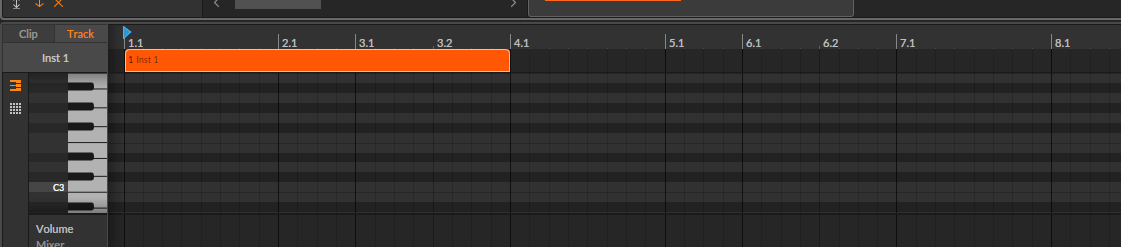
I’ve made a lot of music where I use odd rhythms that do not follow the classic european / western-world rhythms offered in Bitwig’s “Play” menu. When using Bitwig I really miss this ability.
Basically, Bitwig’s current support for rhythms seems very culturally specific, and very centered around a 4/4 rhythm, with only some support for triplets and such. Several other DAWs offer custom grids. This concept has many names, but the idea is the same: Allowing any rhythm, not just 4/4, triplets, and such. Here’s a screenshot of Samplitude showing a custom made rhythm pattern:
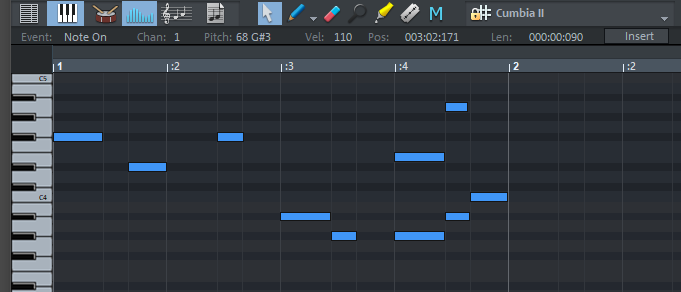
Notice how both the visual grid as well as the actual quantize function and input qualitization all follow this. It would be super cool if the custom rhythm pattern could be selected as the fundamental rhythm for the whole song, causing it to be the default for any new stems that you record.
To clarify what I am hoping for with this feature quest: It is not just applied destructively like in Reaper. Also, it’s not just hacked on top of a 4/4 or 3/4 rhytm using NoteFX. What I think would be the better solution is to have these custom rhythm patterns be fully supported by Bitwig itself as an alternative to the current selection of rhythms for the song, the one at the bottom of the “Play” menu.
Like, imagine if the selection was: [ Off ] [ Custom ] [ 1/32 ] [ 1/16 ] [ 1/8 ] [ 1/4 ]
Where “custom” means a groove pattern that the user can somehow make or give to bitwig. This could be a .mid file containing one bar of notes, or even just a simple .json or .ini file or something.
I hope this explanation makes sense. It’s really one of the things I miss the most when working with Bitwig.